
Chrome extension guide
Keep String Compare
one click away.
Pin the extension, then click its icon to open your workspace.
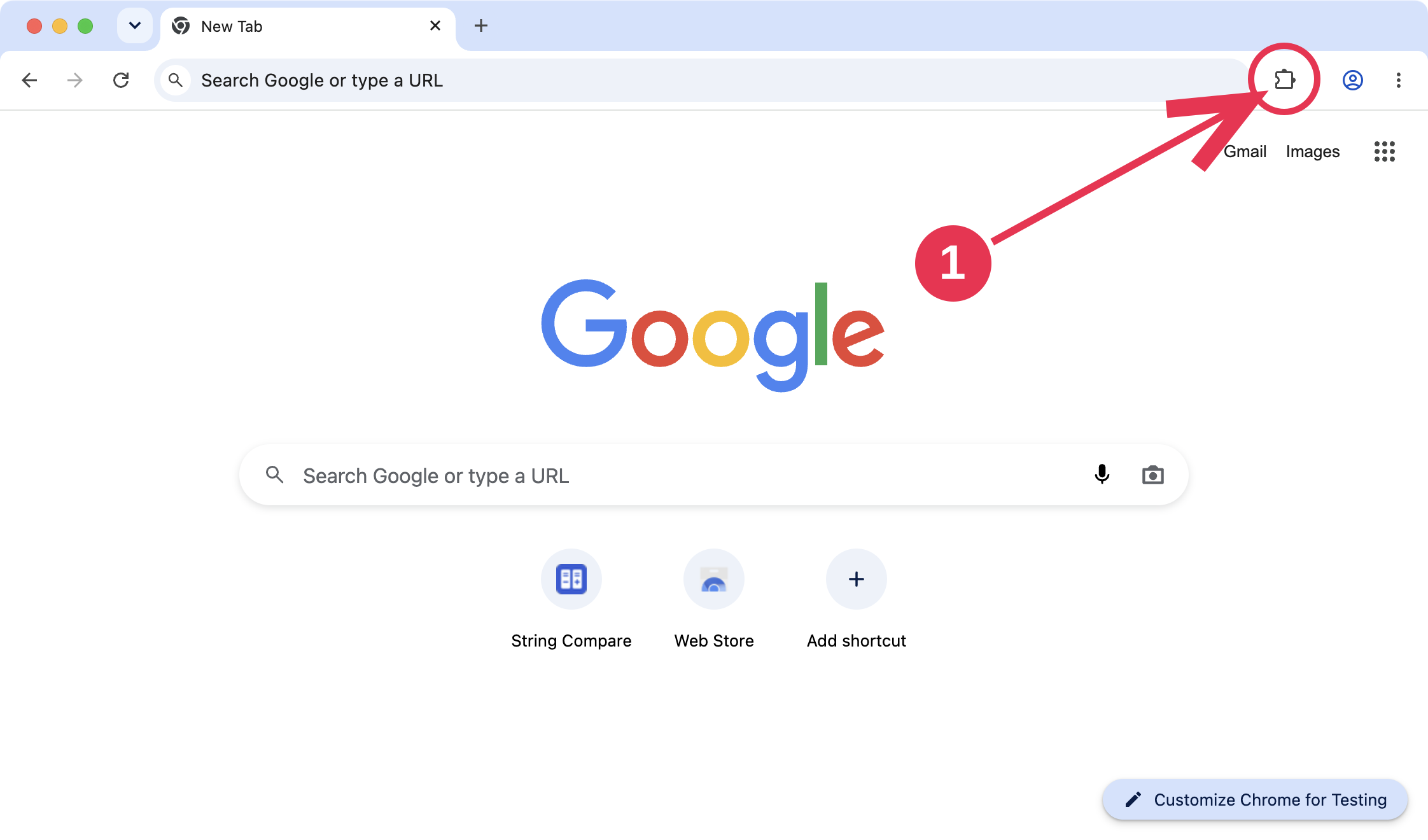
Open the Extensions menu
Click the puzzle piece at the top right of Chrome.
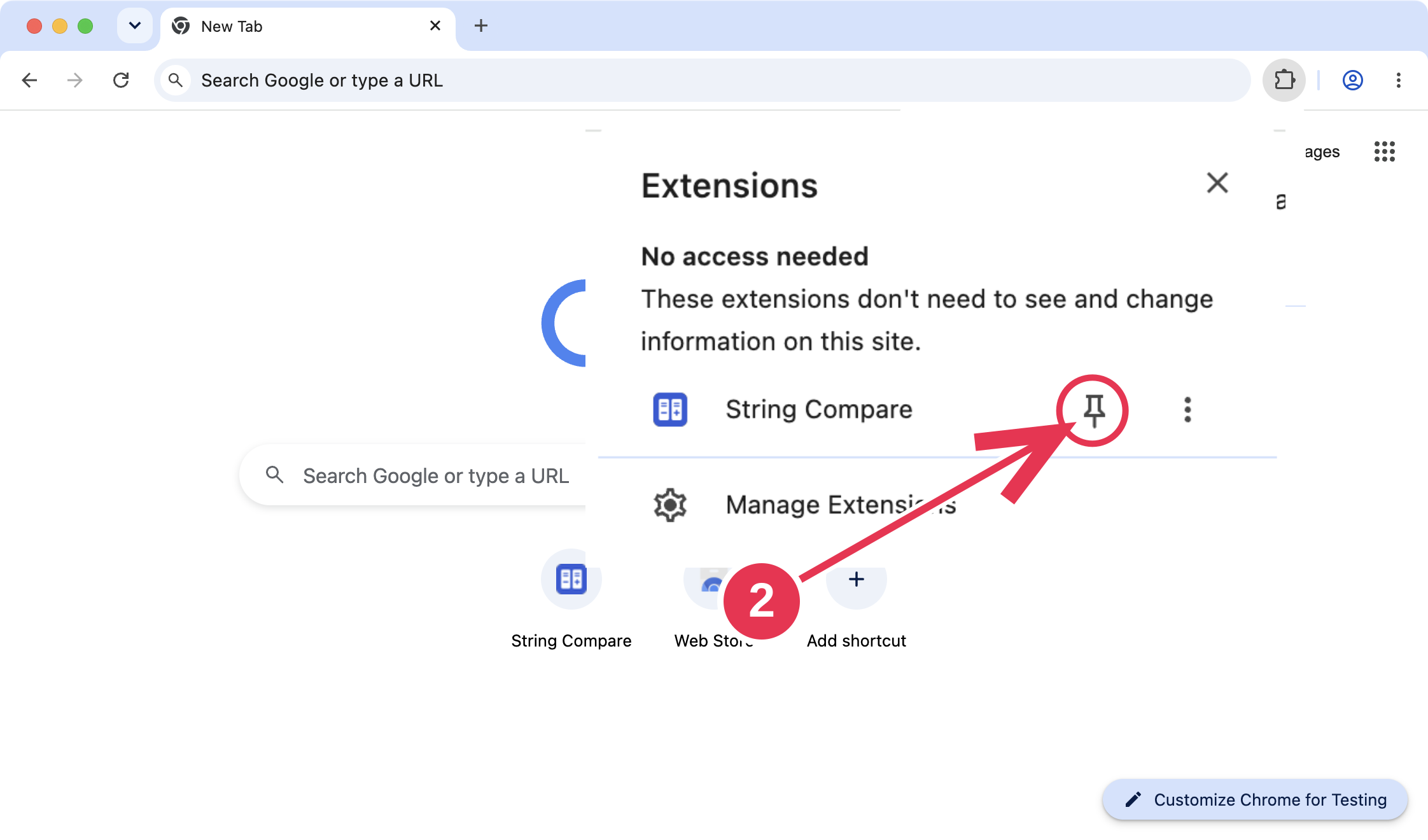
Pin String Compare
Click the pin next to String Compare.
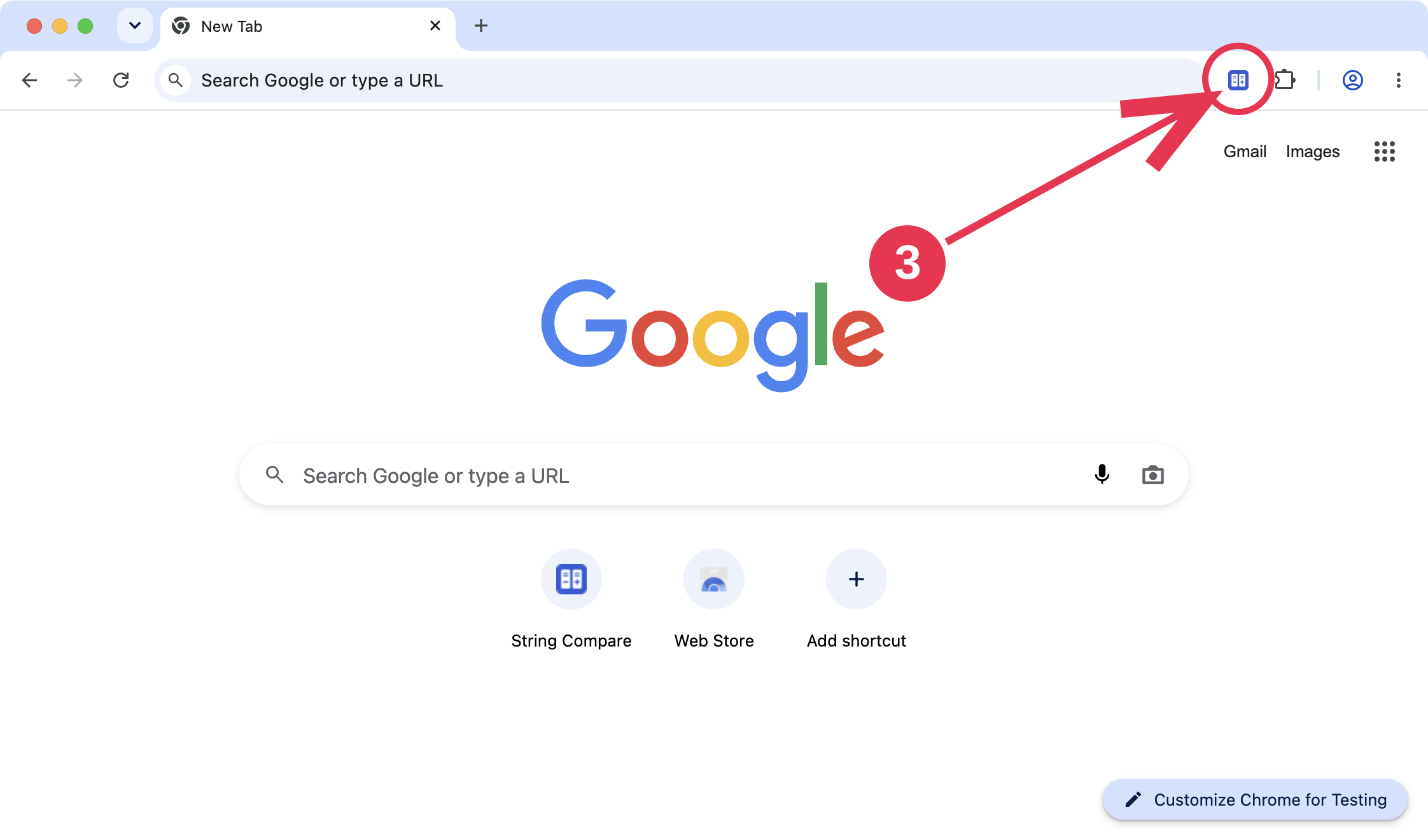
Click the String Compare icon
Your comparison workspace opens in a new tab.
Already pinned? See how to compare text
Ready when you are
See what changed.
Three steps to your first comparison.
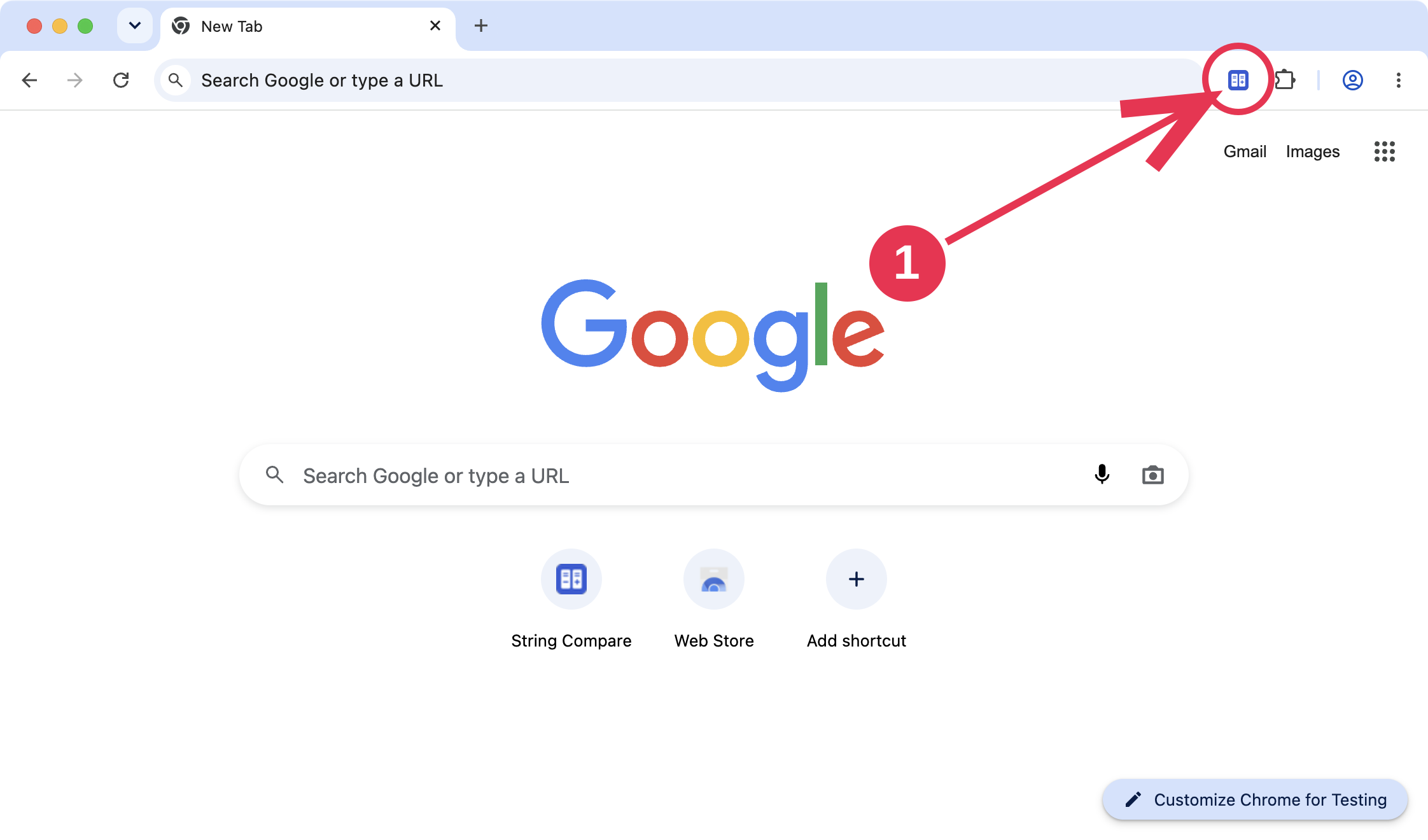
Open String Compare
Click its blue icon on the Chrome toolbar:
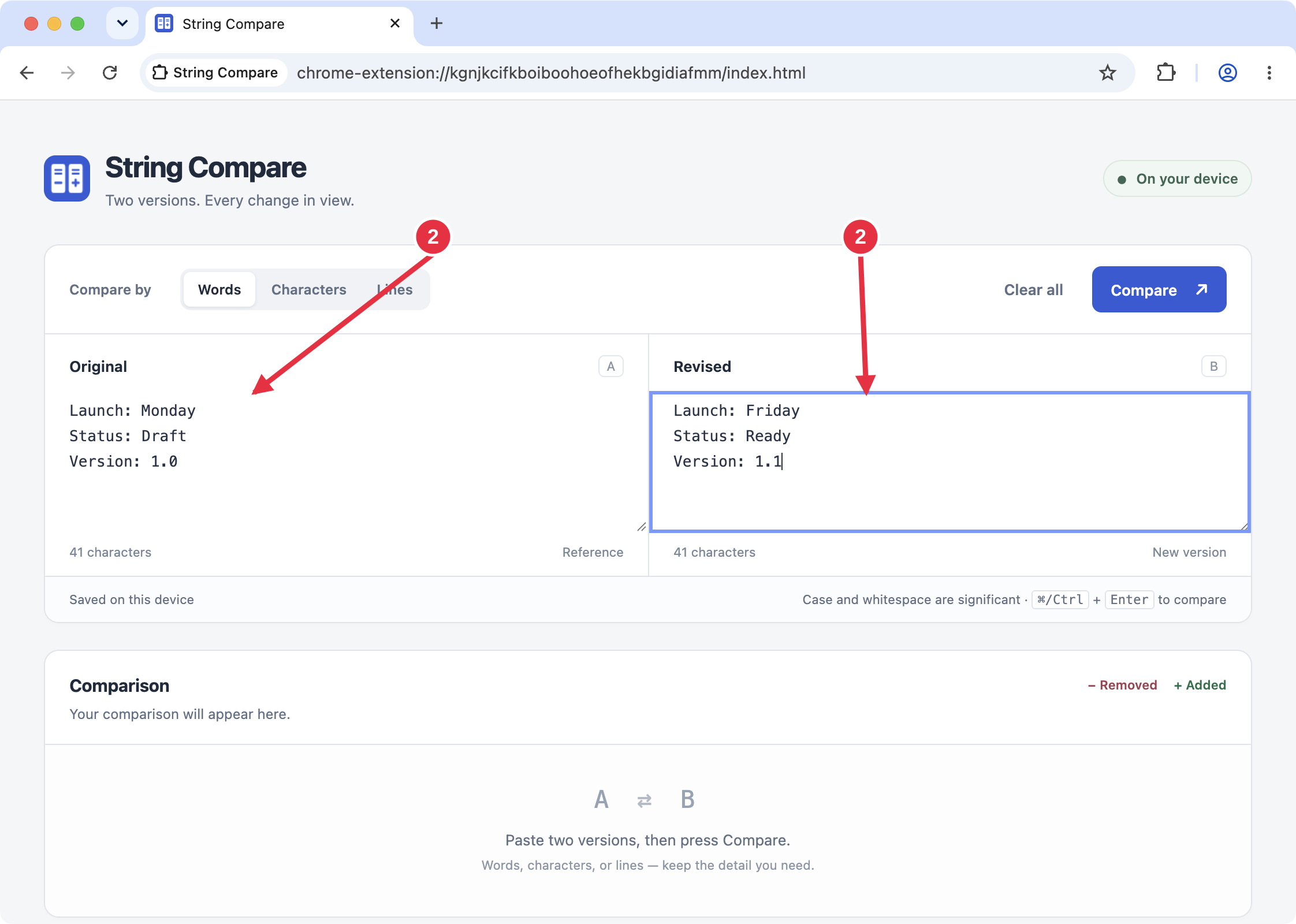
Paste both versions
Put your first text in Original and your updated text in Revised:
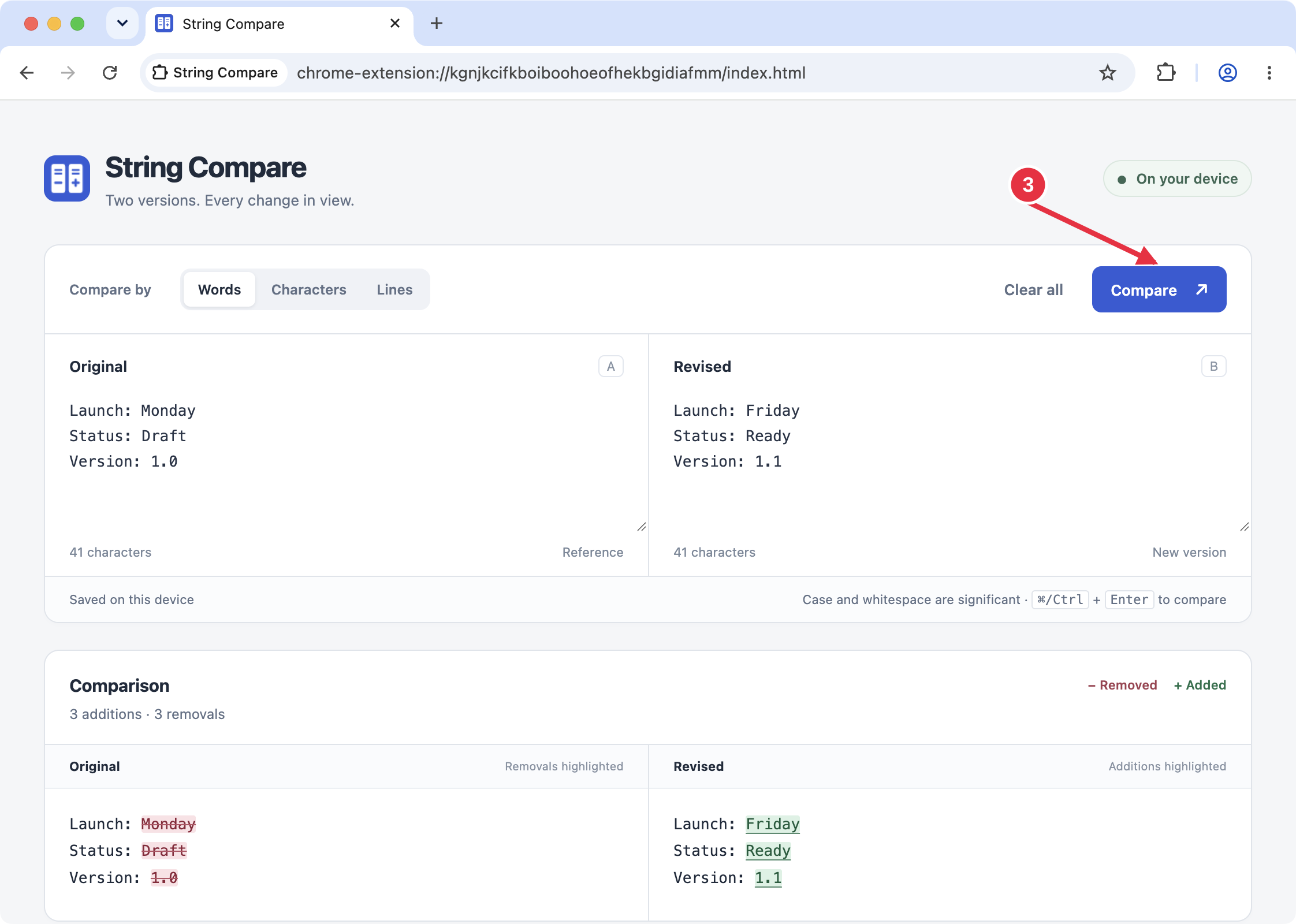
Press Compare
Read the removed and added text side by side. Choose Words, Characters, or Lines for the detail you need:
Can't find the icon? Show how to pin it